You're Almost Certainly Using Tags Wrong on Substack

When I first started here I thought tags were like on other social media sites, or at least like on the blogs of yesteryear (remember tag clouds?) As a result, each of my posts sometimes would have half a dozen or more tags, and many of those tags only got used once. It was basically a useless mess.
Then I had a conversation in Notes a month or two ago (I think it was with ) where it was pointed out that on Substack, “tags” actually function much more like what I would have thought of as categories on a blog.
That cleared things up (for me) a whole lot.
Basically, instead of half a dozen tags on each post, you should probably have about half a dozen tags total, for your whole site.
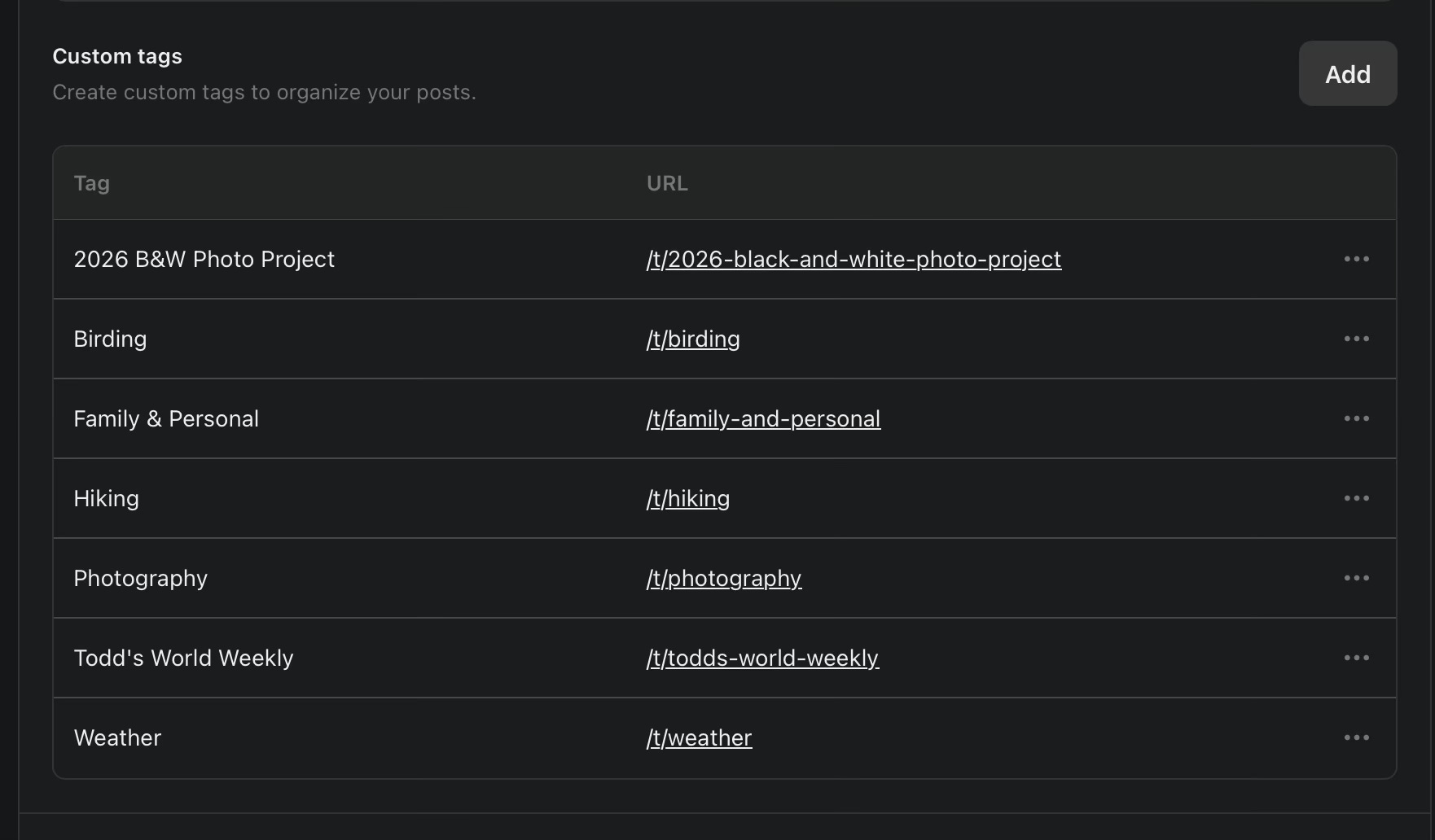
A few specific category tags for subjects you are likely to write about frequently; photography, birding, hiking, and weather in my case. Then a “catch all” tag for things that don’t quite fit anywhere else (Family & Personal). Then for me those other two categories are for posts that are going to be weekly updates.
Every post should got in one of those tag categories.
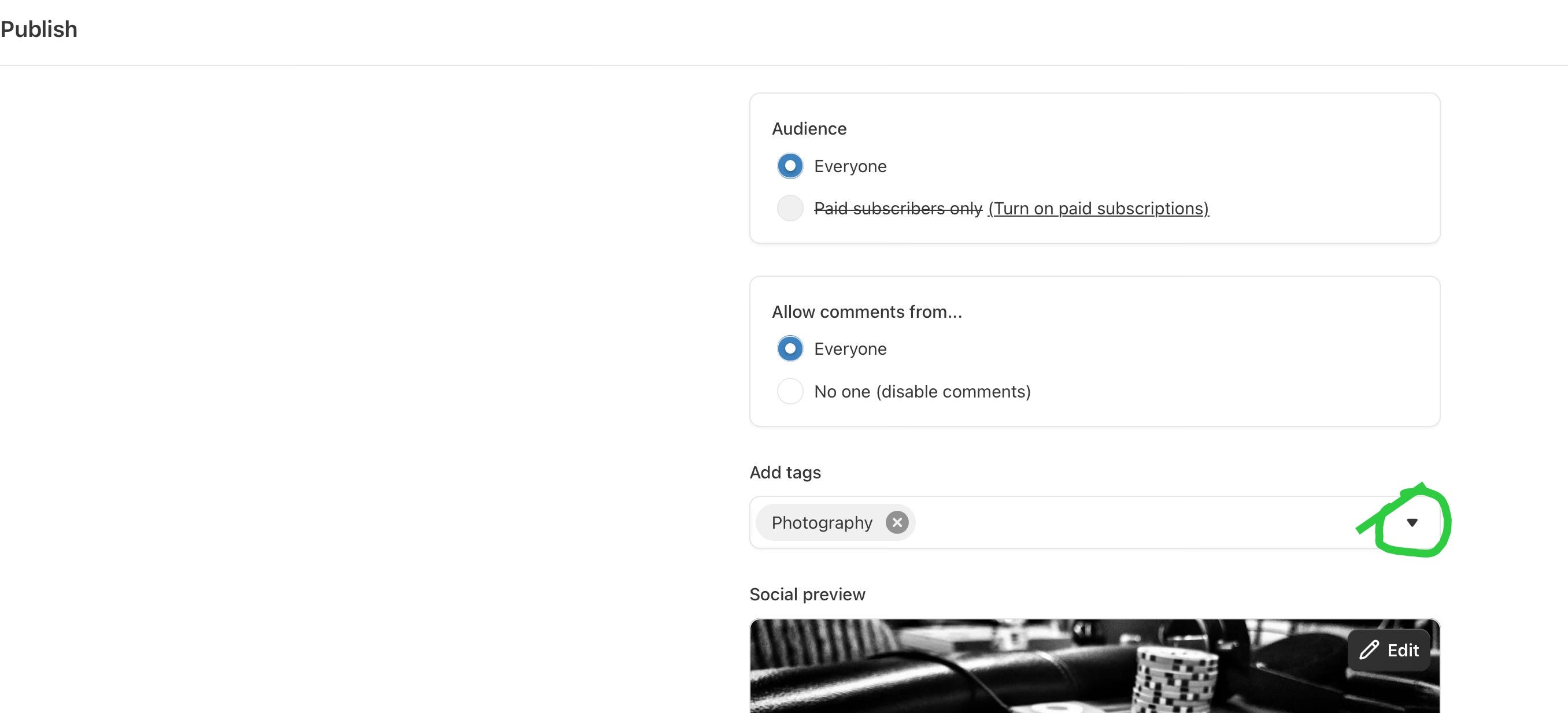
It’s on the page right before you hit send after you’ve written a post. Ideally you’ll never have to type a tag, you’ll just choose one from that drop down menu.
Where tags can get really useful is if you link to them: https://www.tmpic.com/t/birding
This can be useful for both SEO and for giving you an easy way to show people all the articles you’ve written on some of your best topics.
You can also use tags to organize your home page.

Here’s how it looks live: https://tmpic.com
You can set this up right from the first page of your dashboard by clicking on “Branding” down near the bottom.
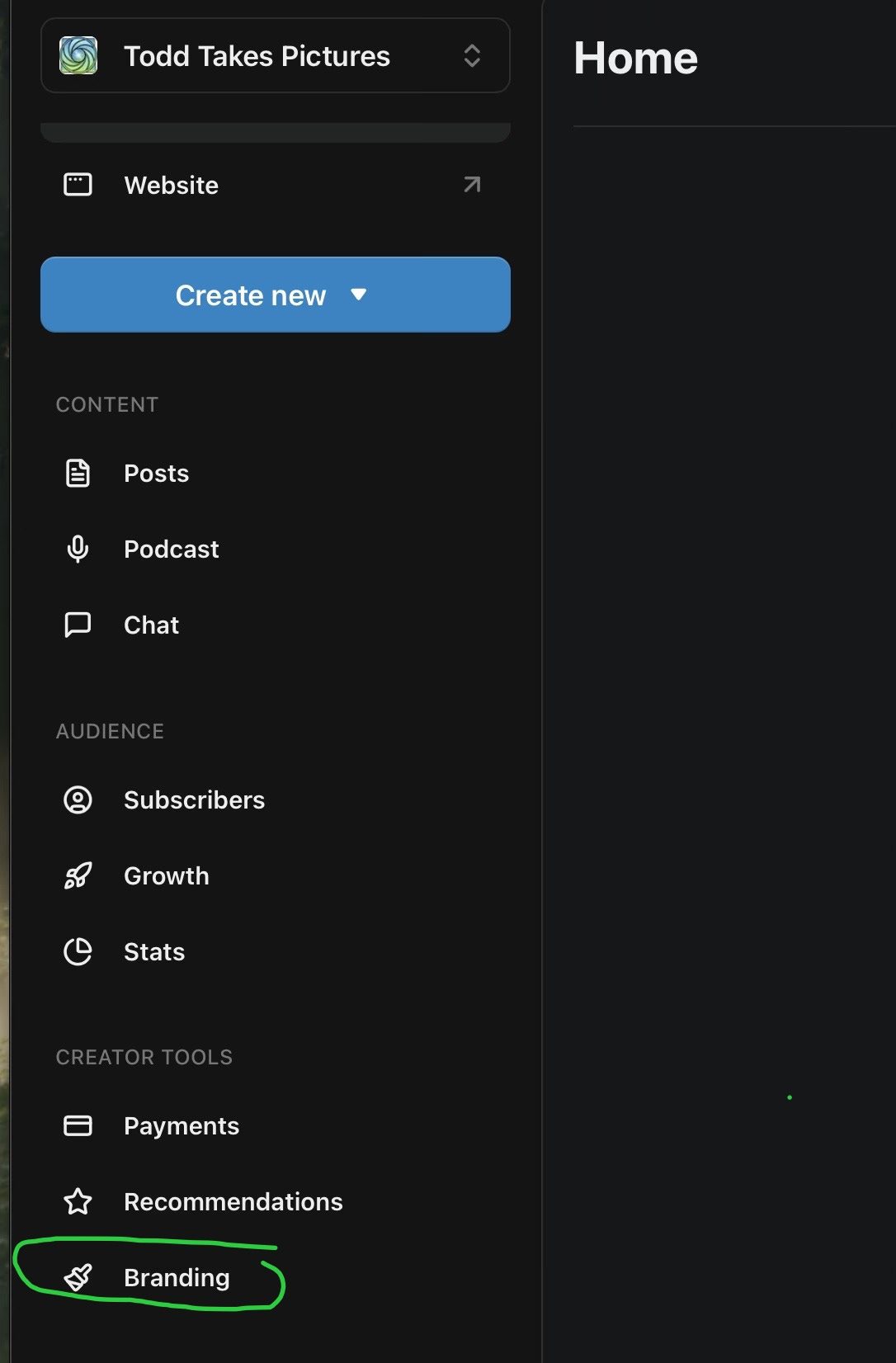
One you’re in Branding …
It is super easy to add, take away, or change the look of these modules.
It’s possible to use this same technique with Sections. But while sections give you more possibilities such as different ways they are displayed, and the ability to exclude posts in a section from showing up in recent posts, it’s also more complicated in that it will create a whole separate newsletter that people can subscribe (or not subscribe) to. So when someone subscribes to your publication they’ll have to check a box for each of your sections, as well as your main site.
Personally I’ve found it better to stick to tags.
I’m using this setup on both of my sites to implement this:
Once I start publishing the weekly summaries, there will just be one pinned post at the top, the subscribe bar, then the tag categories down below.
Well, I think that about wraps things up. I hope you find this helpful.
If you have any questions, and/or if you’ve already done something like this yourself (maybe in a slightly different way), please feel free to share in the comments.
Til next time,
Todd
p.s. if you’re not a subscriber yet, I’d love to have your join our little group. If you do already subscribe, thank you! Please consider sharing this post with others: